Morning routine
Protect your morning before the scroll starts.
Set a morning screen time block and Instagram, TikTok, and email stay closed until you’re ready — so the first hour of your day is yours, not your phone’s.
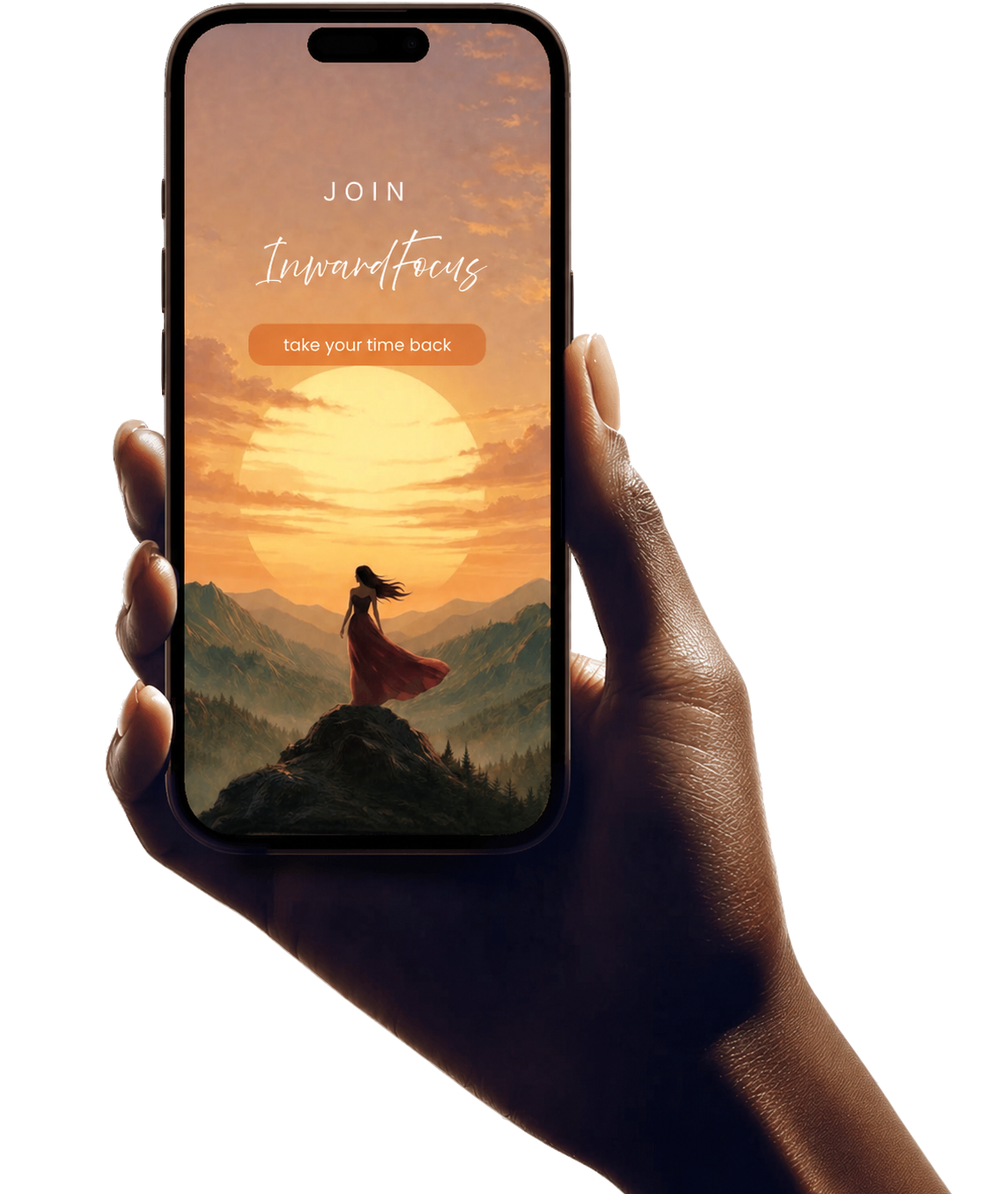
InwardFocus app helps you block distracting apps on your customized focus schedule and replaces your screen with daily affirmations tailored to your personal growth journey.


How it works
📲 Download InwardFocus on the App Store.
⏱️ Create multiple focus sessions to block apps that drain your energy.
🌿 Choose your in-pocket cheerleader based on the motivation theme that reminds you along your personal growth journey.
🧘 Every phone pick-up becomes a moment of intention.


📵 Block distracting apps per time block
🎨 Choose an affirmation theme that matches your intention
🔔 Affirmations appear automatically as each block begins
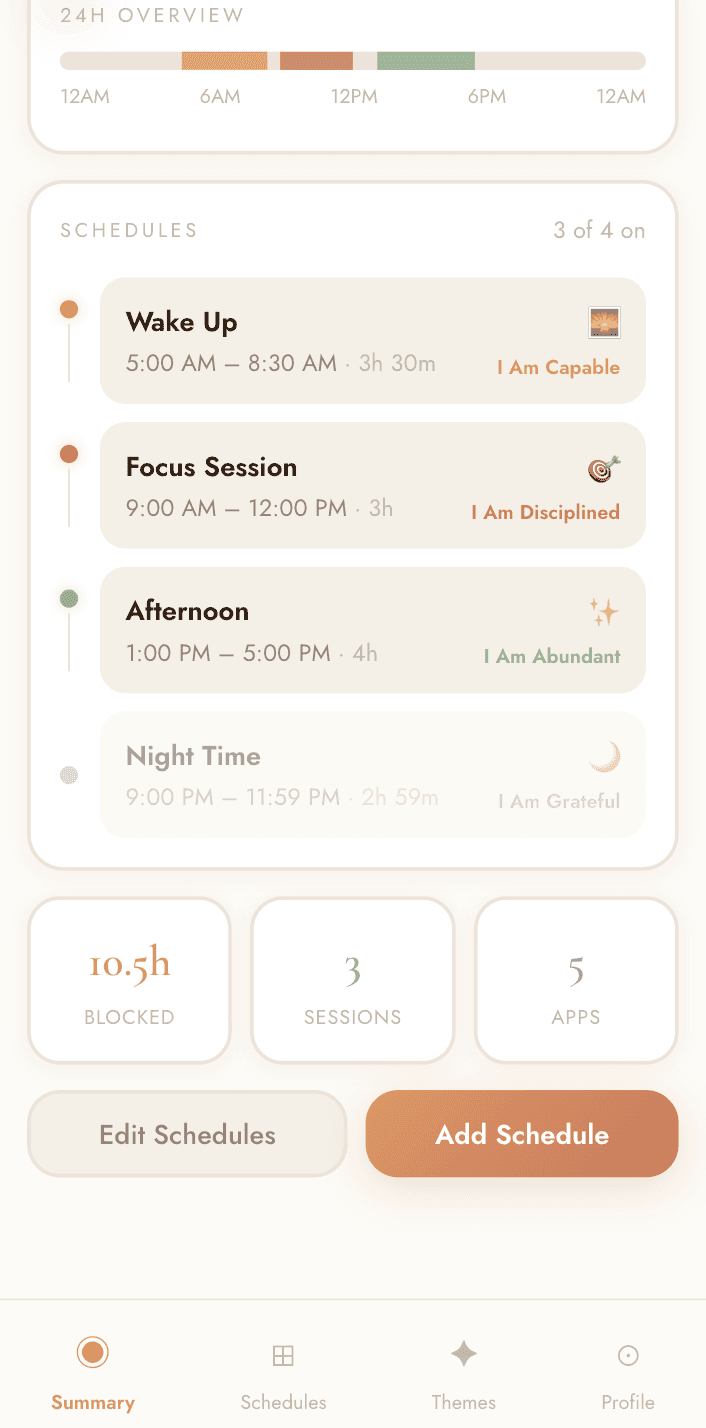
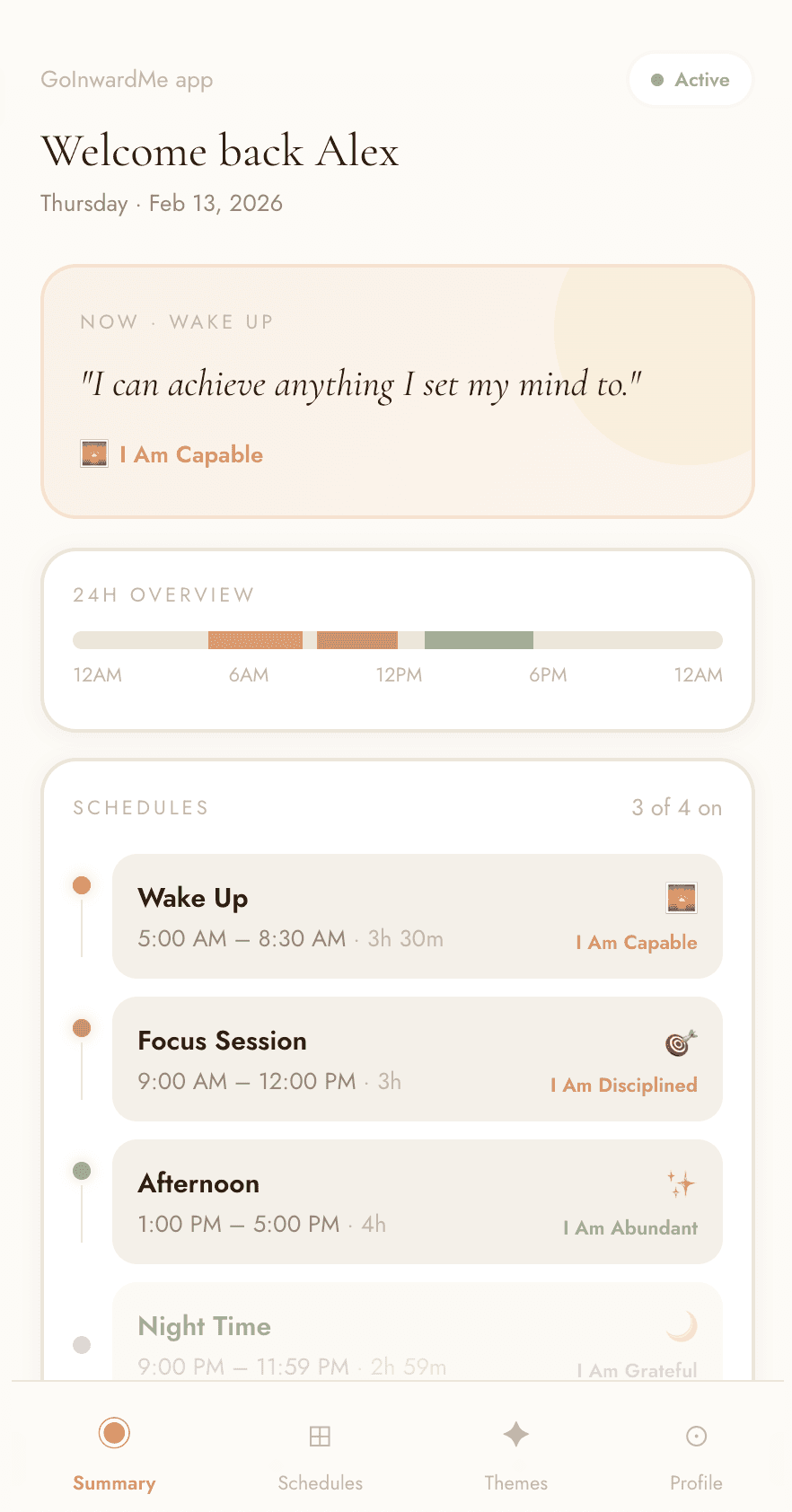
Wake up: I can achieve anything I set my mind to.
Focus Session: I keep showing up. I am disciplined.
Afternoon focus: Abundance, money flow through me
Bed time: Gratitude
Built for real life
Morning routine, work hours, and bedtime — automatic screen time blocks that fit your life.
Morning routine
Set a morning screen time block and Instagram, TikTok, and email stay closed until you’re ready — so the first hour of your day is yours, not your phone’s.
Work-life boundary
InwardFocus automatically blocks work apps after hours, so Slack, email, and Teams don’t follow you into your evening.
Bedtime wind-down
Set a bedtime app block and Instagram, TikTok, and YouTube close on schedule, so late-night scrolling doesn’t cut into your sleep.
Swipe or scroll to see all three →
Download InwardFocus, grant Screen Time permission, pick the apps that drain your energy, and create focus sessions — for example 9:00 AM to 11:45 AM. During each session iPhone blocks those apps automatically. You can set multiple schedules per day for work, mornings, and bedtime.
Yes. InwardFocus lets you choose exactly which apps to block and when. A common setup blocks social media during work hours and again at bedtime, so scrolling is impossible when it hurts you most and available when you actually want it.
Instead of the app, you see a calm block screen with an encouraging message and the name of your active focus session. If you really need access, you can request 10 minutes — enough for the important thing, not enough for a doomscroll.
Most blockers punish you; InwardFocus encourages you. It pairs scheduled app blocking with daily affirmations — a home-screen widget and rotating affirmation themes like discipline, gratitude, and abundance — so every phone pick-up becomes a moment of intention instead of a relapse.
Yes. InwardFocus is currently free on the App Store and requires iOS 18 or later. Premium features are planned as an optional subscription.
No. InwardFocus is built on Apple's Screen Time (Family Controls) framework — app blocking runs on your device and your app selections stay on your iPhone.
Built for real life
Morning routine, work hours, and bedtime — automatic screen time blocks that fit your life.
Morning routine
Set a morning screen time block and Instagram, TikTok, and email stay closed until you’re ready — so the first hour of your day is yours, not your phone’s.
Work-life boundary
InwardFocus automatically blocks work apps after hours, so Slack, email, and Teams don’t follow you into your evening.
Bedtime wind-down
Set a bedtime app block and Instagram, TikTok, and YouTube close on schedule, so late-night scrolling doesn’t cut into your sleep.
Swipe or scroll to see all three →
Download InwardFocus, grant Screen Time permission, pick the apps that drain your energy, and create focus sessions — for example 9:00 AM to 11:45 AM. During each session iPhone blocks those apps automatically. You can set multiple schedules per day for work, mornings, and bedtime.
Yes. InwardFocus lets you choose exactly which apps to block and when. A common setup blocks social media during work hours and again at bedtime, so scrolling is impossible when it hurts you most and available when you actually want it.
Instead of the app, you see a calm block screen with an encouraging message and the name of your active focus session. If you really need access, you can request 10 minutes — enough for the important thing, not enough for a doomscroll.
Most blockers punish you; InwardFocus encourages you. It pairs scheduled app blocking with daily affirmations — a home-screen widget and rotating affirmation themes like discipline, gratitude, and abundance — so every phone pick-up becomes a moment of intention instead of a relapse.
Yes. InwardFocus is currently free on the App Store and requires iOS 18 or later. Premium features are planned as an optional subscription.
No. InwardFocus is built on Apple's Screen Time (Family Controls) framework — app blocking runs on your device and your app selections stay on your iPhone.
Built for real life
Morning routine, work hours, and bedtime — automatic screen time blocks that fit your life.
Morning routine
Set a morning screen time block and Instagram, TikTok, and email stay closed until you’re ready — so the first hour of your day is yours, not your phone’s.
Work-life boundary
InwardFocus automatically blocks work apps after hours, so Slack, email, and Teams don’t follow you into your evening.
Bedtime wind-down
Set a bedtime app block and Instagram, TikTok, and YouTube close on schedule, so late-night scrolling doesn’t cut into your sleep.
Swipe or scroll to see all three →
Download InwardFocus, grant Screen Time permission, pick the apps that drain your energy, and create focus sessions — for example 9:00 AM to 11:45 AM. During each session iPhone blocks those apps automatically. You can set multiple schedules per day for work, mornings, and bedtime.
Yes. InwardFocus lets you choose exactly which apps to block and when. A common setup blocks social media during work hours and again at bedtime, so scrolling is impossible when it hurts you most and available when you actually want it.
Instead of the app, you see a calm block screen with an encouraging message and the name of your active focus session. If you really need access, you can request 10 minutes — enough for the important thing, not enough for a doomscroll.
Most blockers punish you; InwardFocus encourages you. It pairs scheduled app blocking with daily affirmations — a home-screen widget and rotating affirmation themes like discipline, gratitude, and abundance — so every phone pick-up becomes a moment of intention instead of a relapse.
Yes. InwardFocus is currently free on the App Store and requires iOS 18 or later. Premium features are planned as an optional subscription.
No. InwardFocus is built on Apple's Screen Time (Family Controls) framework — app blocking runs on your device and your app selections stay on your iPhone.